> For the complete documentation index, see [llms.txt](https://docs-launchpad.energyweb.org/llms.txt). Markdown versions of documentation pages are available by appending `.md` to page URLs; this page is available as [Markdown](https://docs-launchpad.energyweb.org/energy-solutions/digital-spine-by-energy-web/component-guides/ddhub-client-gateway/deployment-guide/preparing-to-set-up-a-client-gateway/acquiring-an-enterprise-user-role/request-role-using-ddhub-client-gateway-ui.md).
# Request role using DDHub Client Gateway UI
{% hint style="warning" %}
Before continuing with this section, please ensure that an [EWC Account](/energy-solutions/digital-spine-by-energy-web/component-guides/ddhub-client-gateway/deployment-guide/preparing-to-set-up-a-client-gateway/creating-and-funding-an-ewc-account.md) has been prepared and that it has enough [EWT to fund](/energy-solutions/digital-spine-by-energy-web/component-guides/ddhub-client-gateway/deployment-guide/preparing-to-set-up-a-client-gateway/creating-and-funding-an-ewc-account.md#funding-an-ewc-account) the on-chain transactions.
{% endhint %}
## **Requesting role with Roles Management**
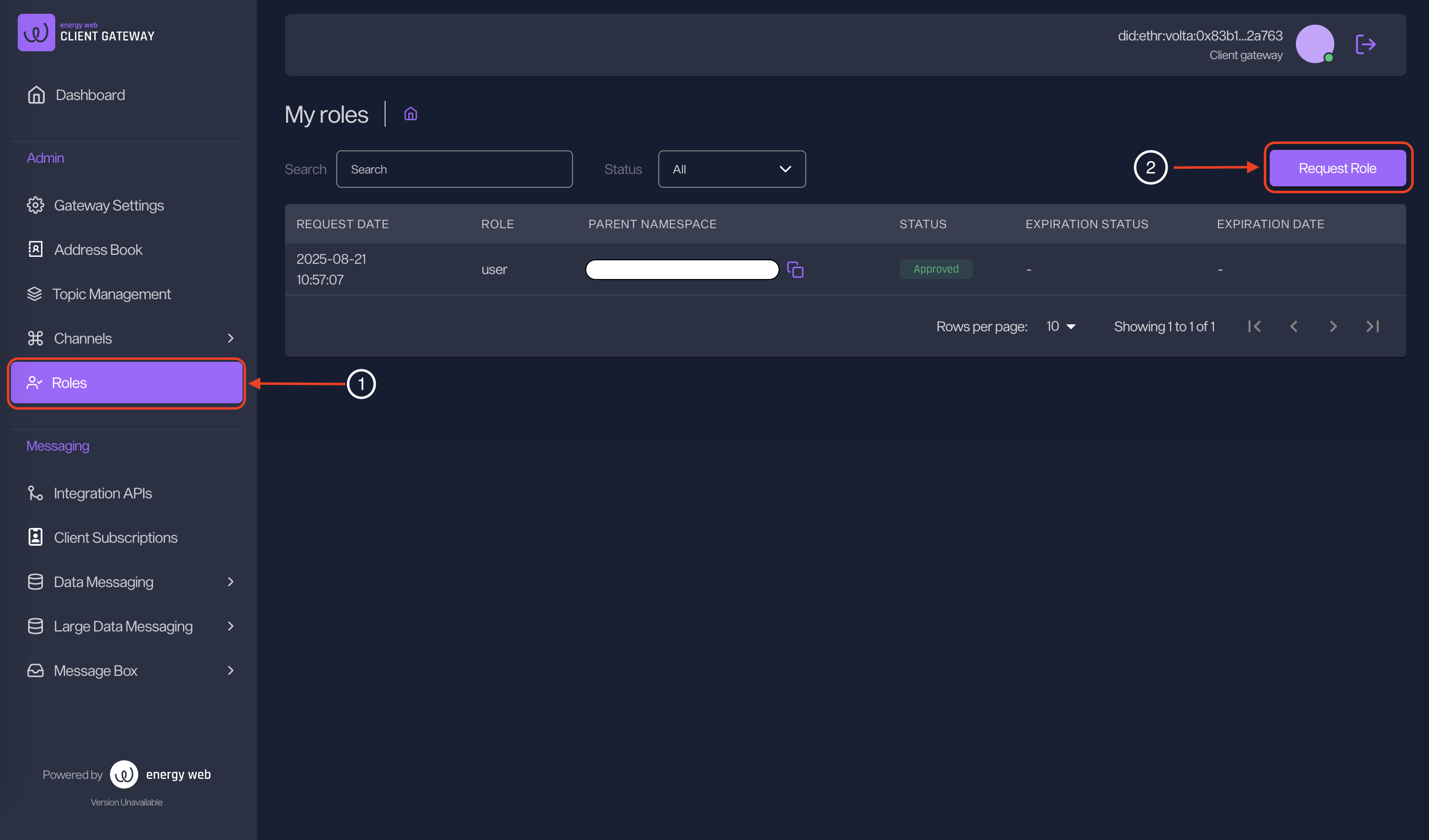
1. Head to "Roles" menu and click on "Request Role".
My roles
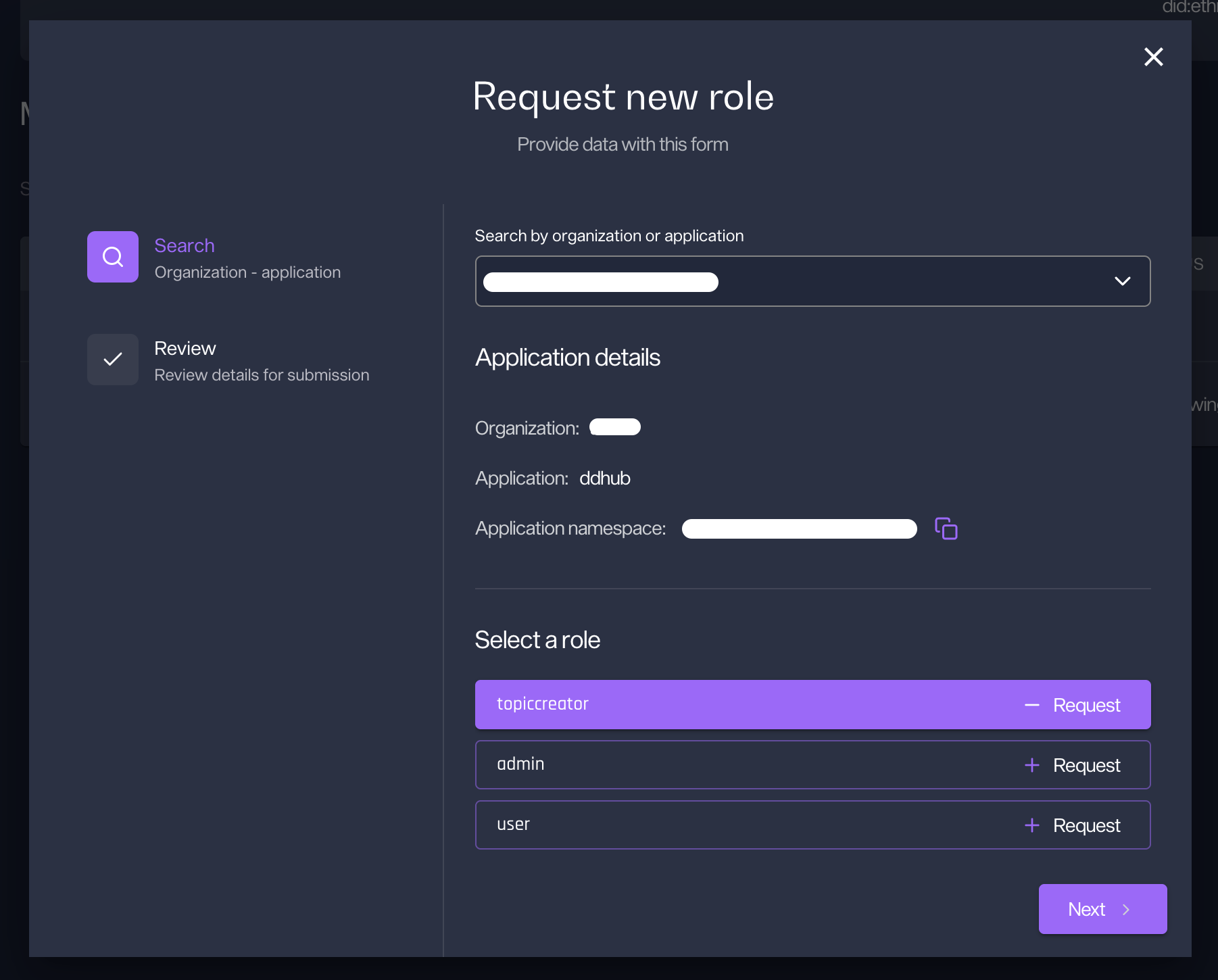
2. Search for the target organization or application that contains the target role to enrol. Select a role accordingly. Click "Next" to proceed to the next screen.
Select application/organization and select role
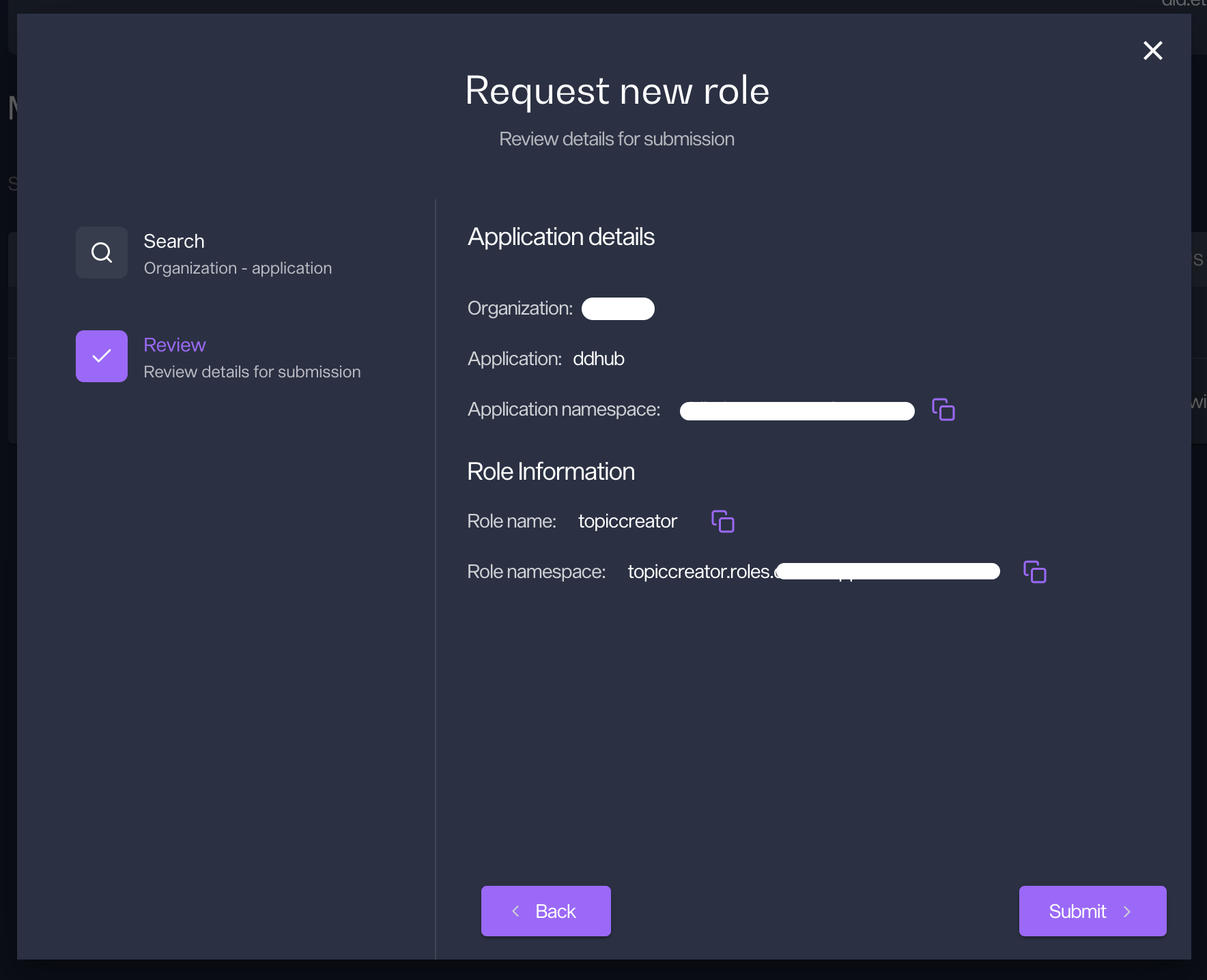
3. Review the role information to be requested and click "Submit" to enrol or "Back" to edit the selection.
Review role information
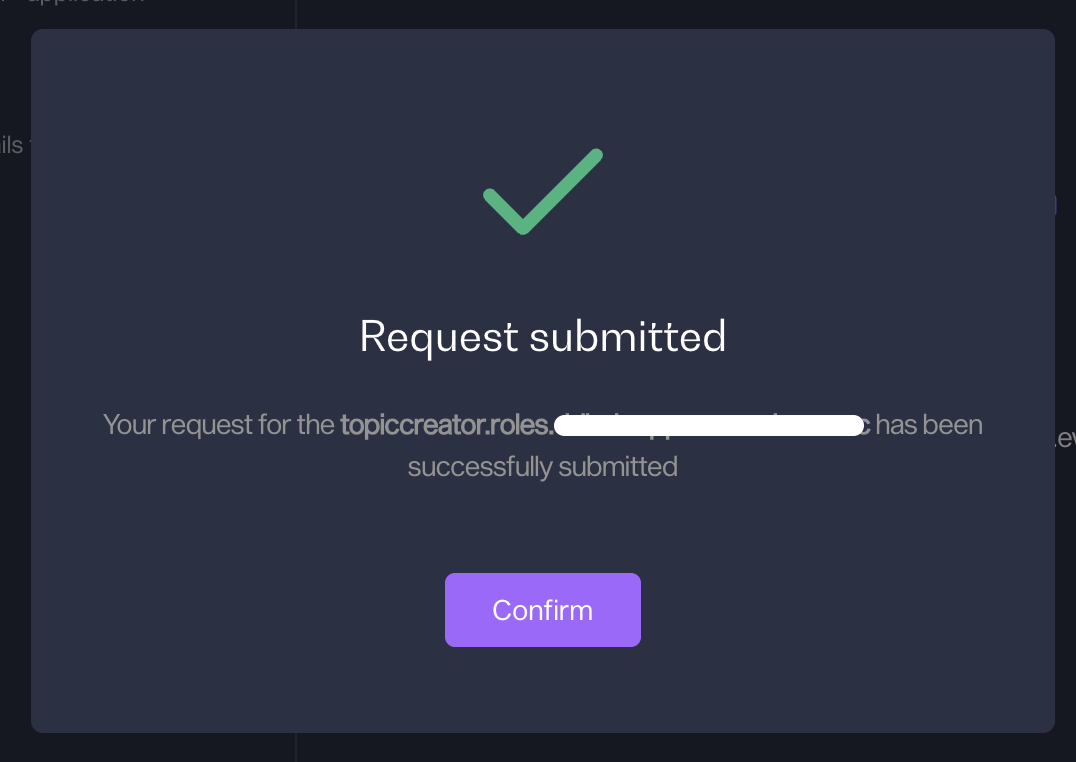
4. Success message will be shown to indicate that the request has been successfully submitted.
Request submitted
#### Additional Requestor Fields
{% hint style="warning" %}
Some roles require additional information. For this case, an additional "Details" page will be shown before the Review page.
{% endhint %}