> For the complete documentation index, see [llms.txt](https://docs-launchpad.energyweb.org/llms.txt). Markdown versions of documentation pages are available by appending `.md` to page URLs; this page is available as [Markdown](https://docs-launchpad.energyweb.org/energy-solutions/digital-spine-by-energy-web/component-guides/self-sovereign-identities/technical-guide/applications.md).
# Applications
## Overview
Applications are discrete namespaces that correspond to specific markets and/or use cases, within which roles, topics, and channels are configured. Organizations are the administrators of applications.
***
## User Guide
### Pre-requisites
* User logged into Switchboard
* An organization was created
#### Create an Application
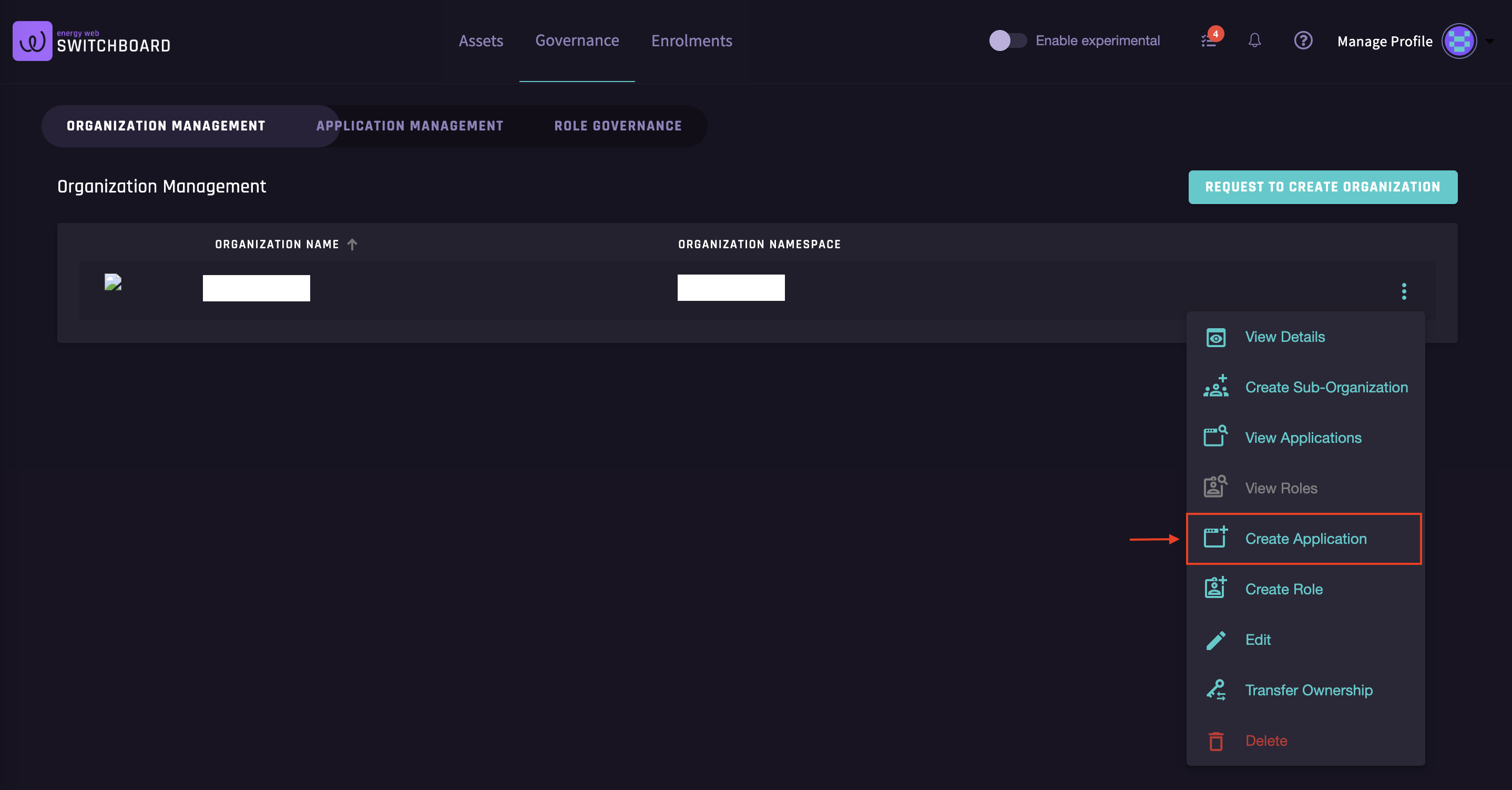
1. In the Organization Management page, click on the action button right next to the organization that you want to add a new application
Create application
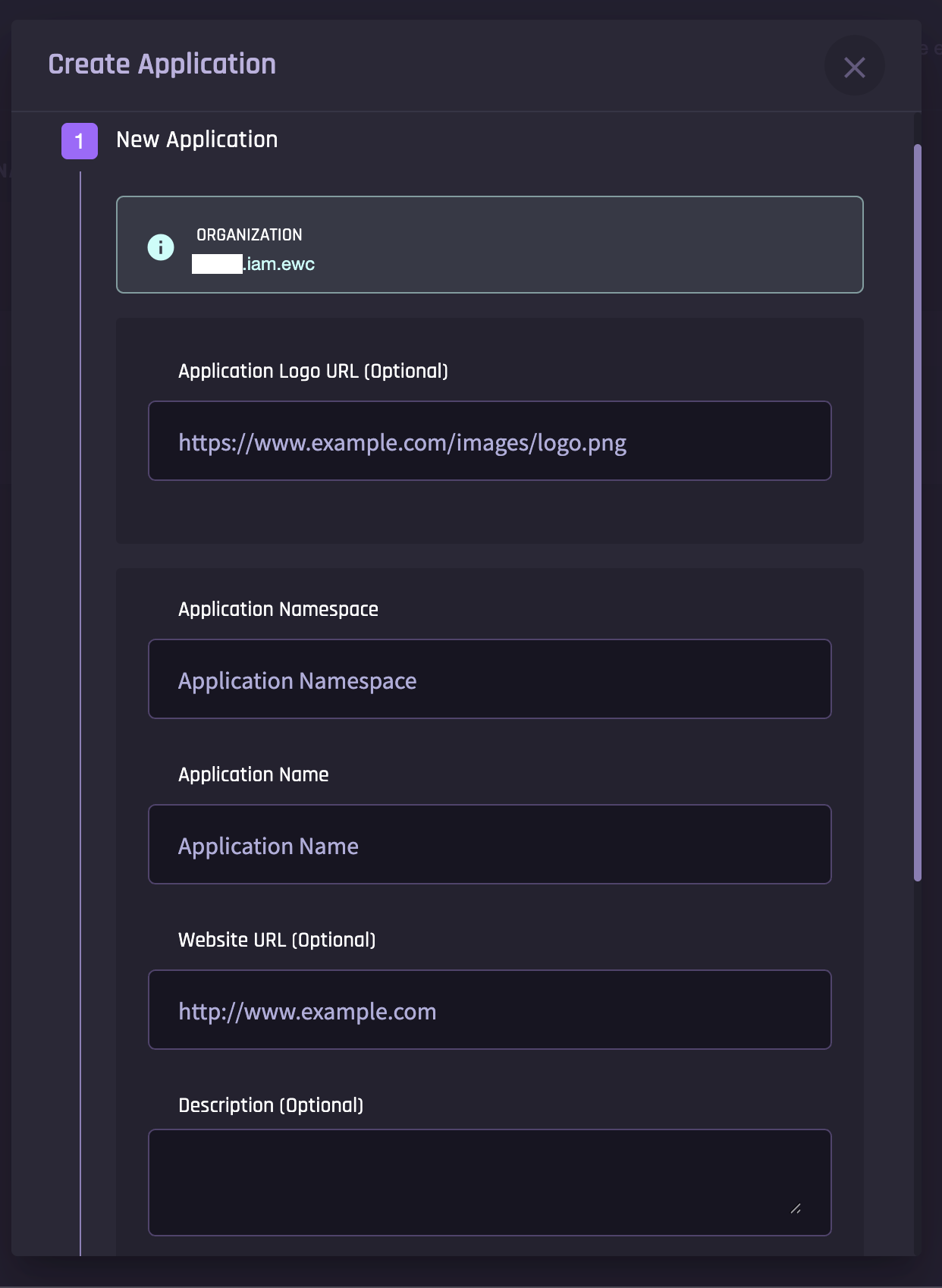
2. Fill in the application details and scroll down to click `Next`
New application details
3. Confirm the details and submit to complete application creation
{% hint style="success" %}
Note that any application namespace you define will automatically be created under an “apps” subdomain within your organization’s namespace. For example, if your organization’s namespace is “`exampleco.iam.ewc`" and you wish to create a new subdomain for an application you call "DERmanager," then your resulting namespace will be "`dermanager.apps.exampleco.iam.ewc`" (the "apps" subdomain is added automatically, to organize applications separately from other subdomains).
{% endhint %}
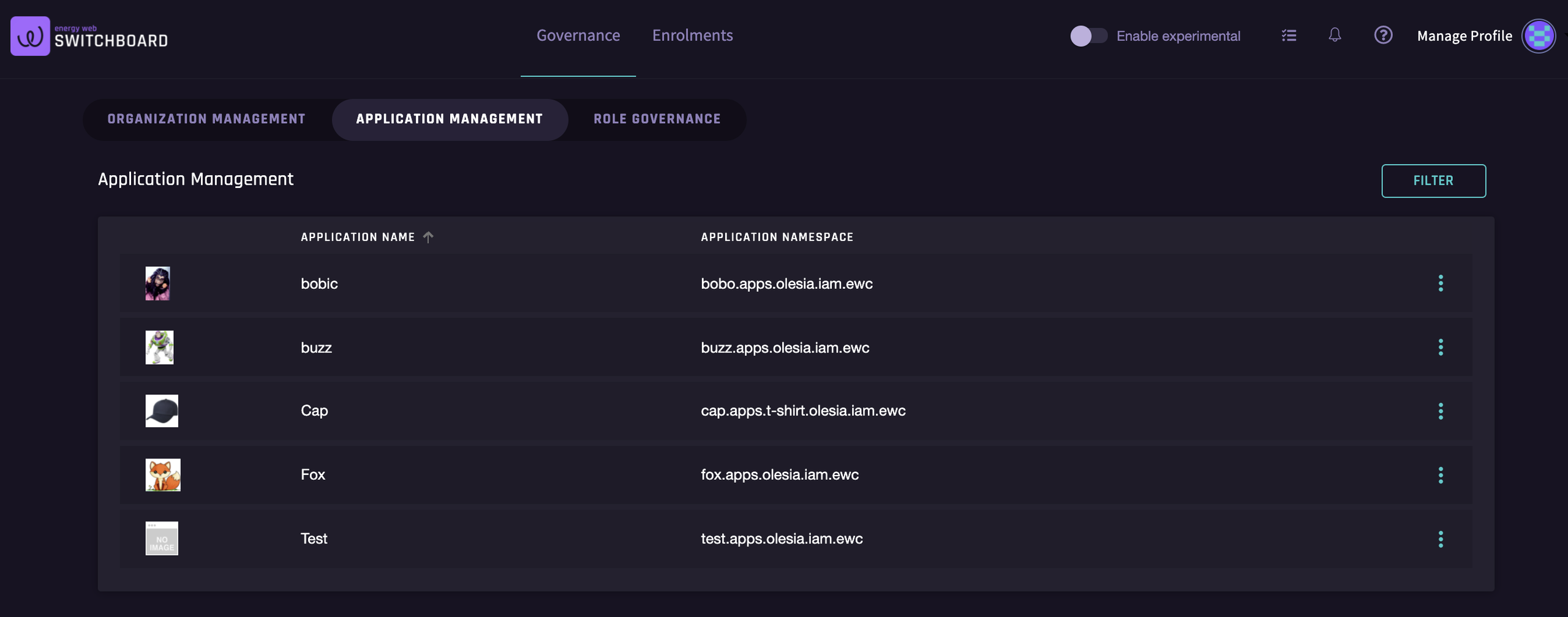
Once you have completed all steps to create the new application, your `Application Management` tab should appear similar to the image below:
Application Management
#### Modify an Application
1. In the Application Management page, click on the action button right next to the application that you want to edit
Edit application
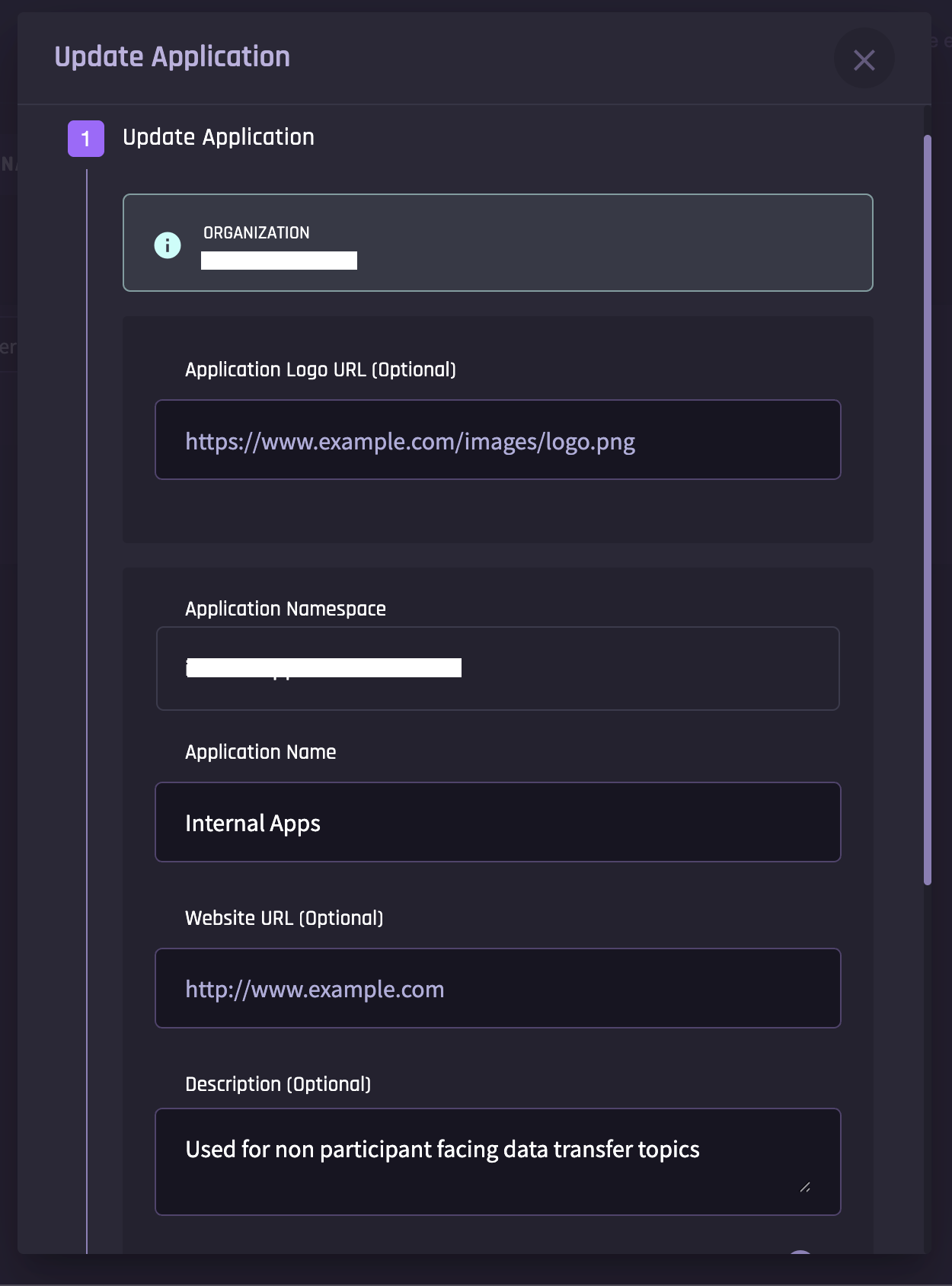
2. Update application and scroll down to click `Next` and confirm your changes
Update application
#### Remove an Application
In the Application Management page, click on the action button right next to the application that you want to delete
Delete application
***
{% hint style="success" %}
You have several possible actions, similar to your options under organization management. Note that you also have the option to filter your applications by the organization; this may be helpful if, for example, different subsidiaries within your corporate umbrella wish to manage applications separately, but you as a designated super admin need to be able to view all of them.
{% endhint %}