# Exporting worker account

### Prerequisites

* [x] Connected EWX account
* [x] Connected worker account&#x20;

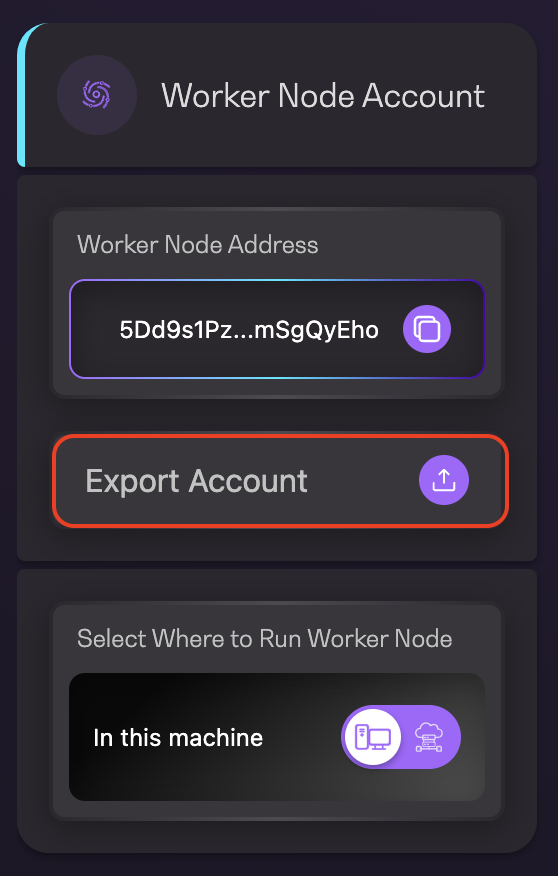
1. Click on `Export Account` located on the left panel of your Dashboard page

<figure><img src="https://4257445316-files.gitbook.io/~/files/v0/b/gitbook-x-prod.appspot.com/o/spaces%2Fnf3YeoQlQerc93GsC2Me%2Fuploads%2FACjqNokd31ZXJQYADGXU%2FScreenshot%202025-03-10%20at%203.34.37%E2%80%AFPM.png?alt=media&#x26;token=8416e213-33ff-4cf7-8b54-4204dffae484" alt="" width="279"><figcaption><p>Export Account menu</p></figcaption></figure>

2. Click `Confirm` to reveal the worker account mnemonic

<figure><img src="https://4257445316-files.gitbook.io/~/files/v0/b/gitbook-x-prod.appspot.com/o/spaces%2Fnf3YeoQlQerc93GsC2Me%2Fuploads%2FE87CxJmRD6nK339HOdKL%2Fimage.png?alt=media&#x26;token=d3c8044f-4887-4bc0-bf42-6edb4a574e65" alt="" width="375"><figcaption><p>Confirmation message</p></figcaption></figure>

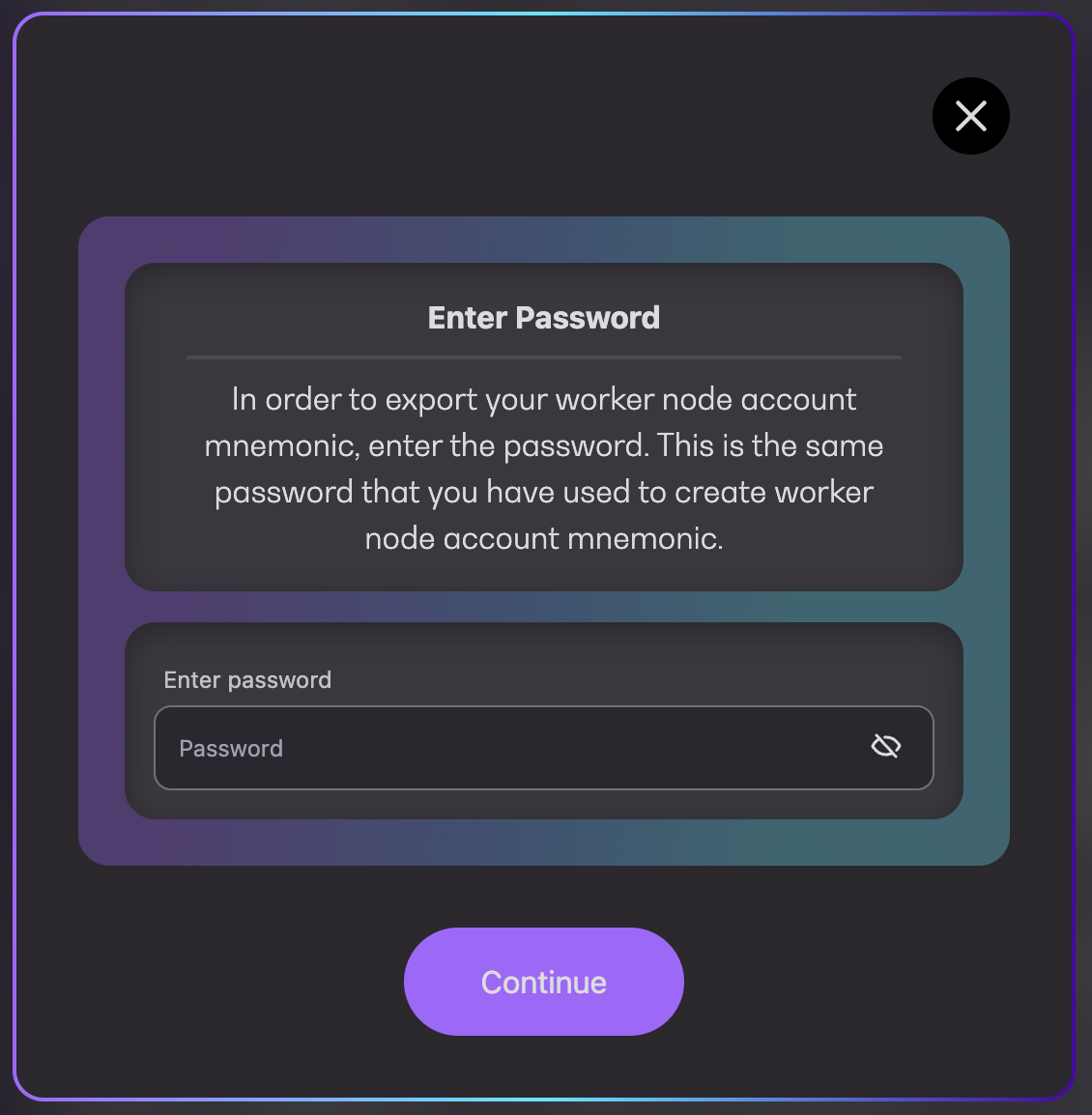
3. Enter your password and click `Continue`

<figure><img src="https://4257445316-files.gitbook.io/~/files/v0/b/gitbook-x-prod.appspot.com/o/spaces%2Fnf3YeoQlQerc93GsC2Me%2Fuploads%2FUFh1jnwpBN5zBShf3CHB%2Fimage.png?alt=media&#x26;token=aa828457-19d2-4265-9f8a-fcd25ca0a002" alt="" width="375"><figcaption><p>Enter password</p></figcaption></figure>

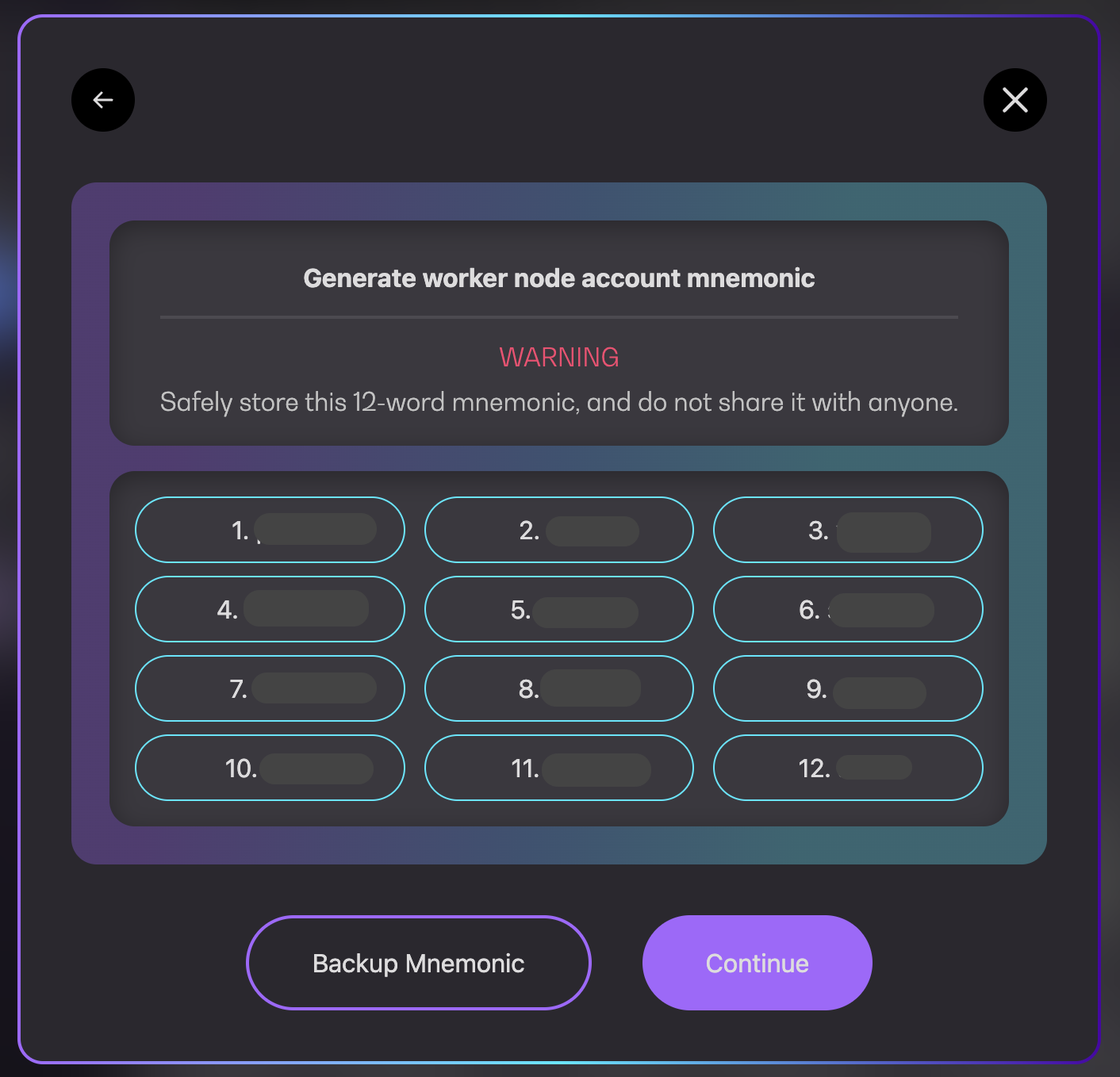
4. Click on `Backup Mnemonic` to backup as file or `Close` to close the pop-up
<figure><img src="https://4257445316-files.gitbook.io/~/files/v0/b/gitbook-x-prod.appspot.com/o/spaces%2Fnf3YeoQlQerc93GsC2Me%2Fuploads%2Fx8sRJJ4OphgsKHJlGMef%2FScreenshot%202025-03-10%20at%203.14.28%E2%80%AFPM.png?alt=media&#x26;token=45d59de0-ab50-4108-a939-27c42ded6d3c" alt="" width="375"><figcaption><p>Worker account mnemonic</p></figcaption></figure>