> For the complete documentation index, see [llms.txt](https://docs-launchpad.energyweb.org/llms.txt). Markdown versions of documentation pages are available by appending `.md` to page URLs; this page is available as [Markdown](https://docs-launchpad.energyweb.org/ewx-ecosystem/the-marketplace-app/subscriptions/topping-up-subscription-amount.md).
# Topping-up subscription amount
### Prerequisites
* [x] Connected EWX account
* [x] Subscribed to a solution group
* [x] Maximum subscription limit have not reached
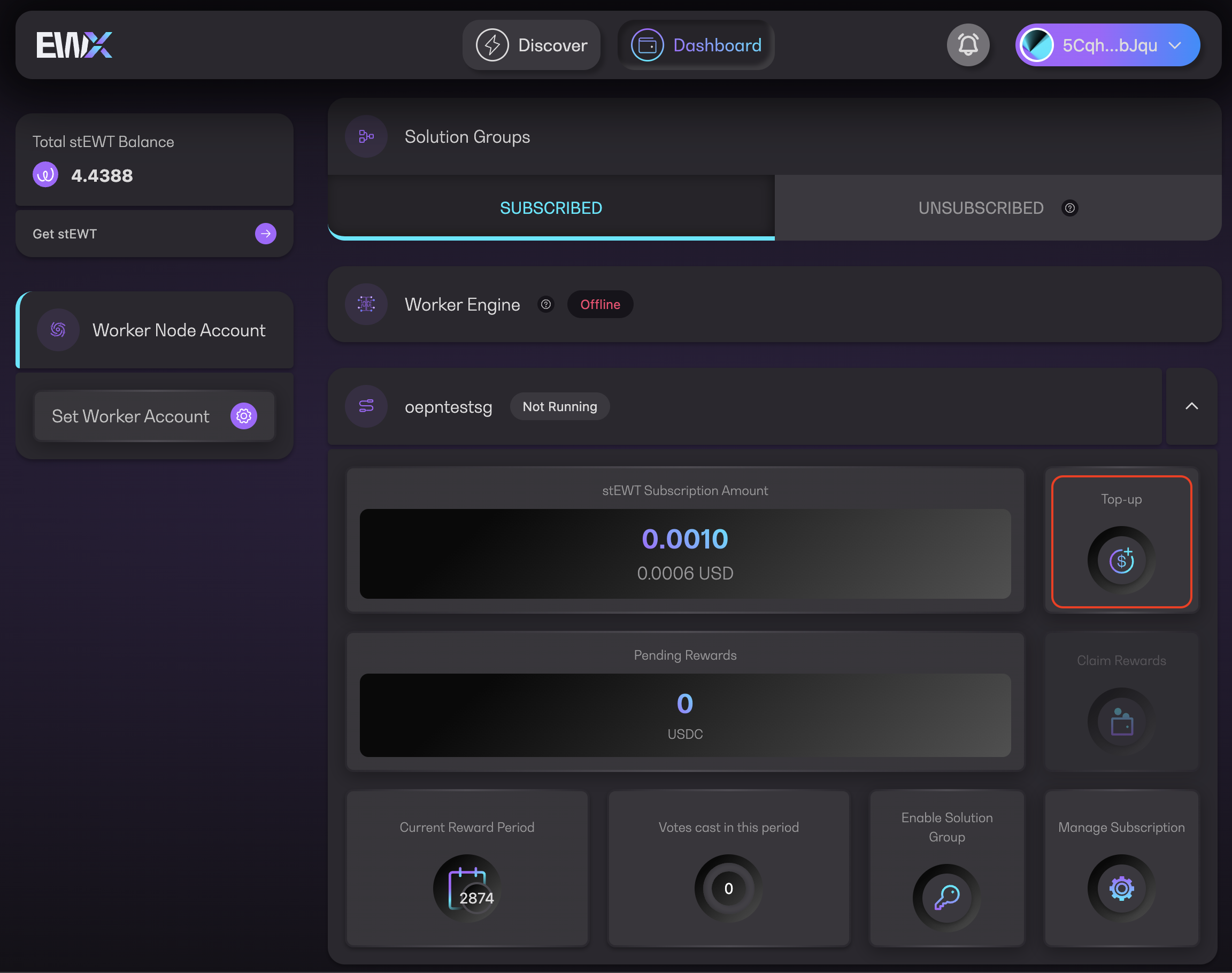
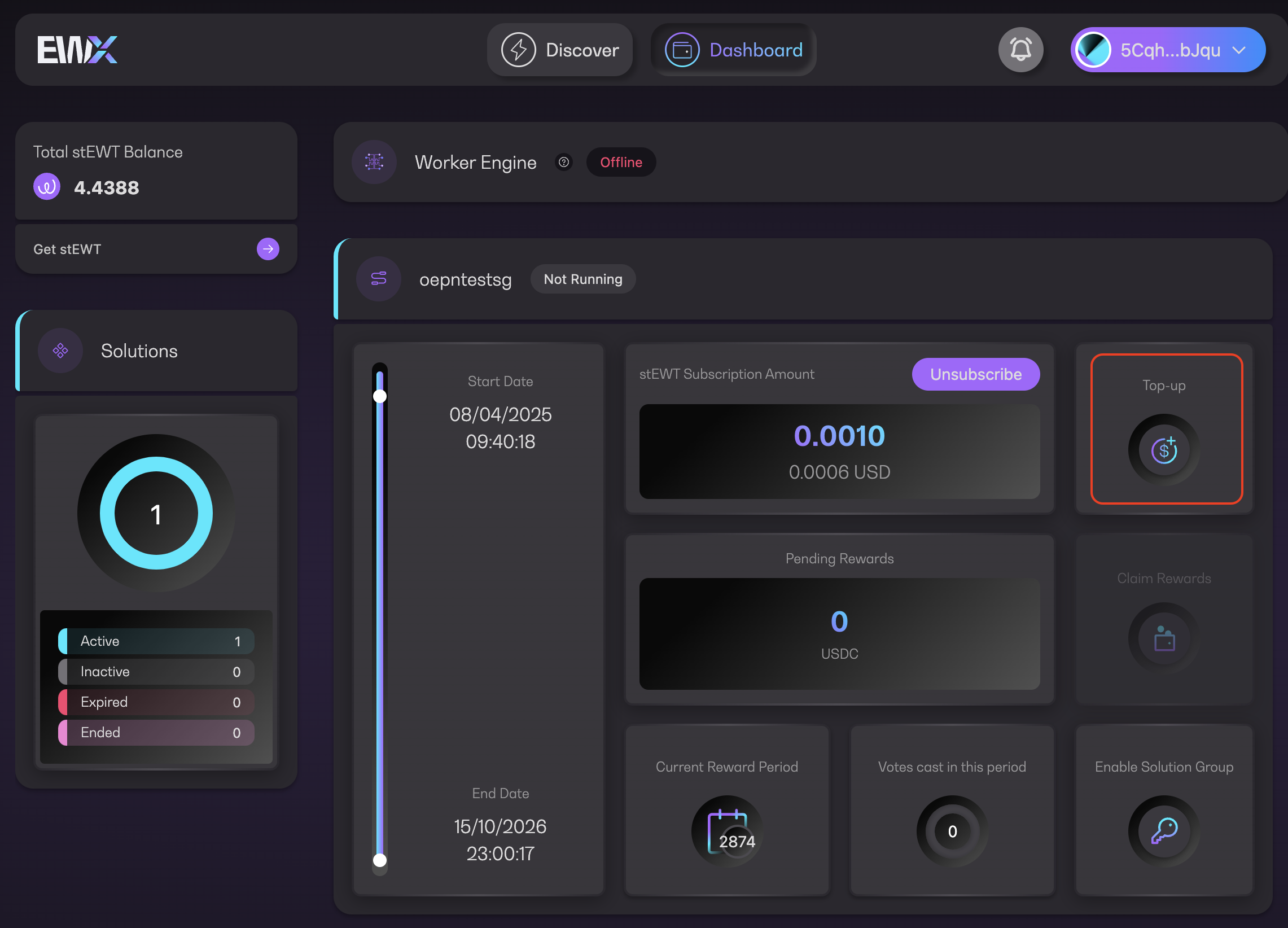
1. Find the `Top-up` button either in Dashboard or Manage subscription
Top-up from Dashboard
Top-up from Manage Subscription
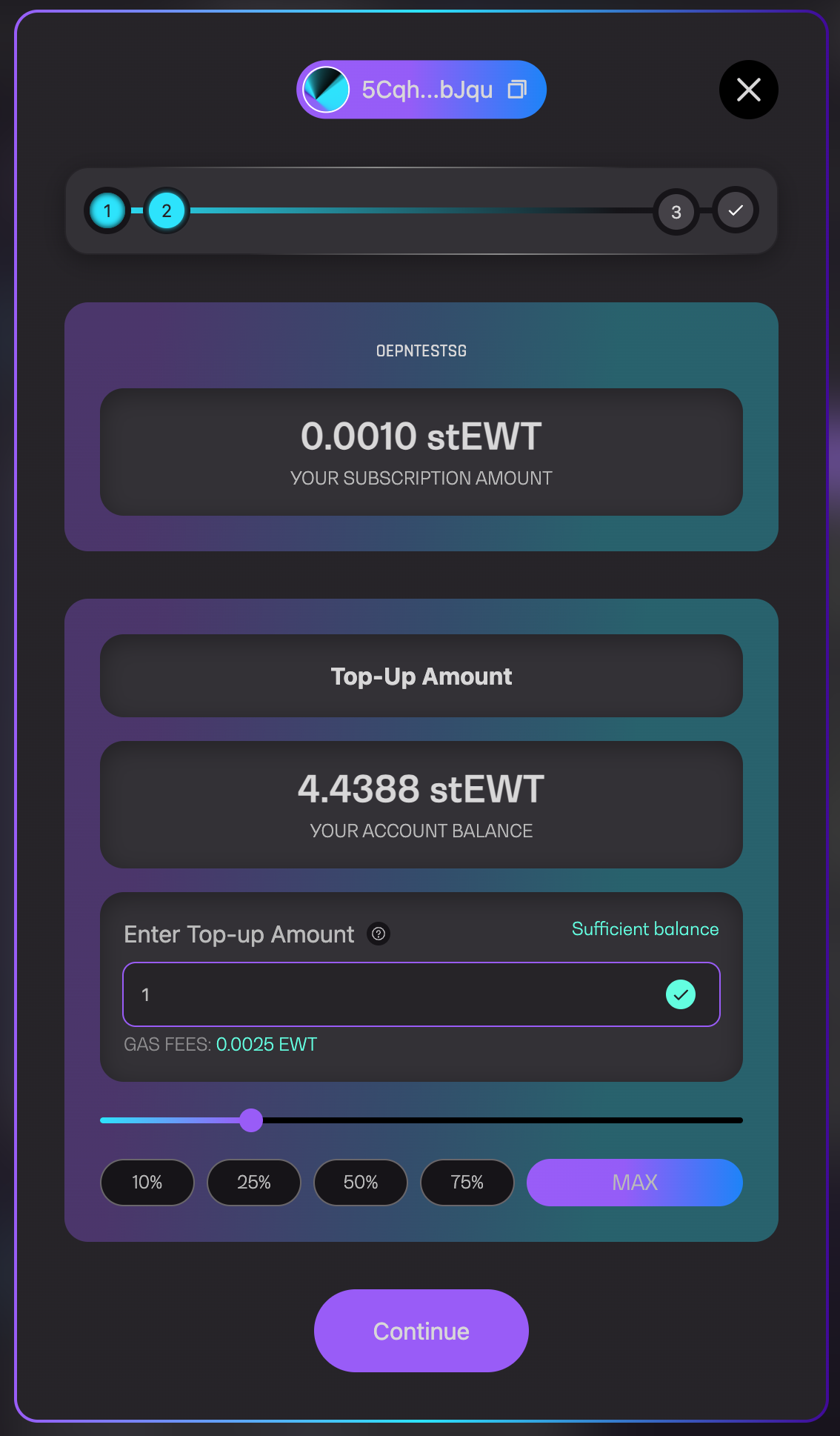
2. A pop-up will appear, enter your top-up amount in the text field
{% hint style="success" %}
You may also use the slider or pre-defined buttons that will calculate based on your account balance
{% endhint %}
Enter top-up amount
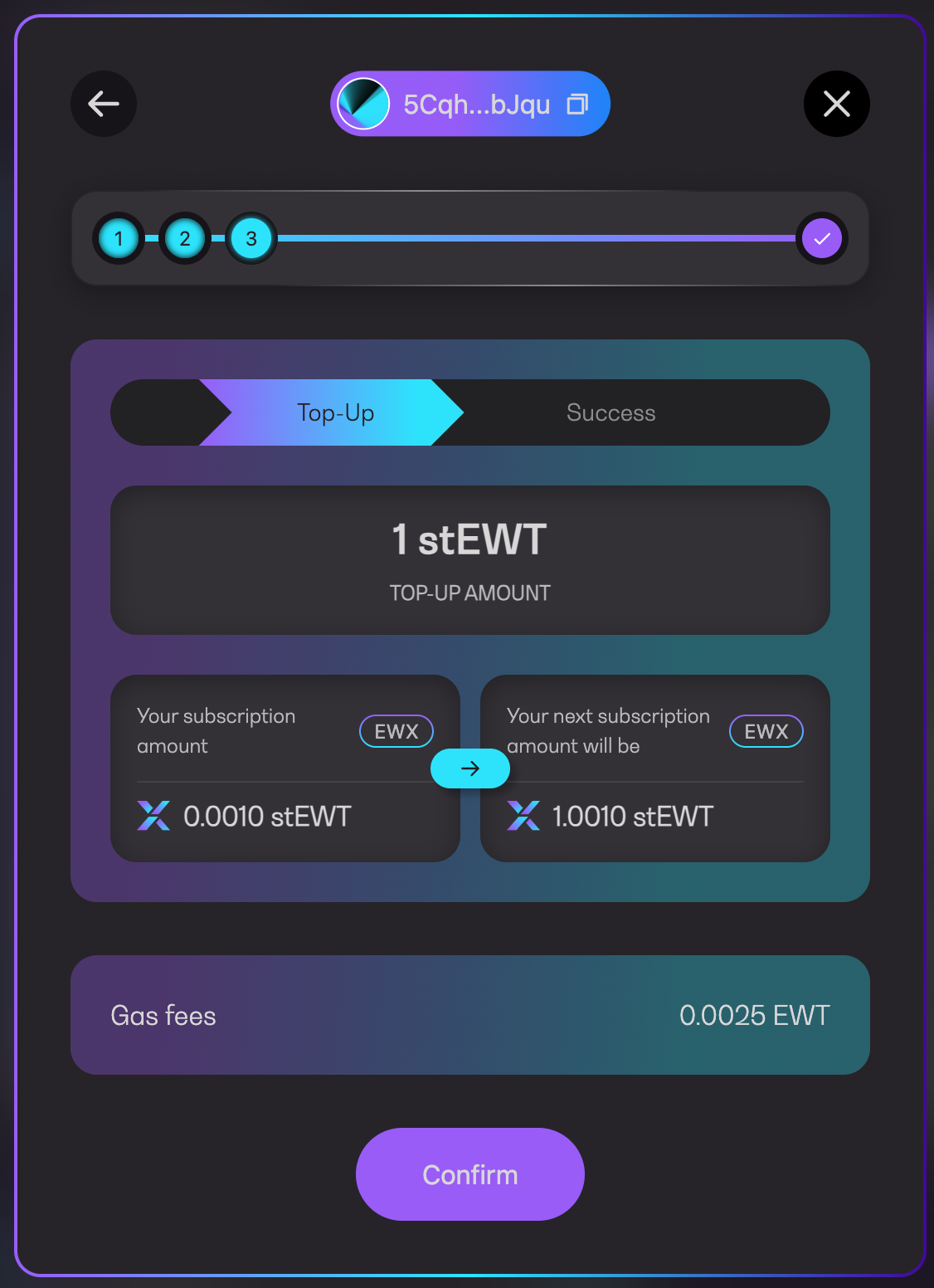
3. Review your top-up amount before clicking on `Confirm`
Confirm top-up amount
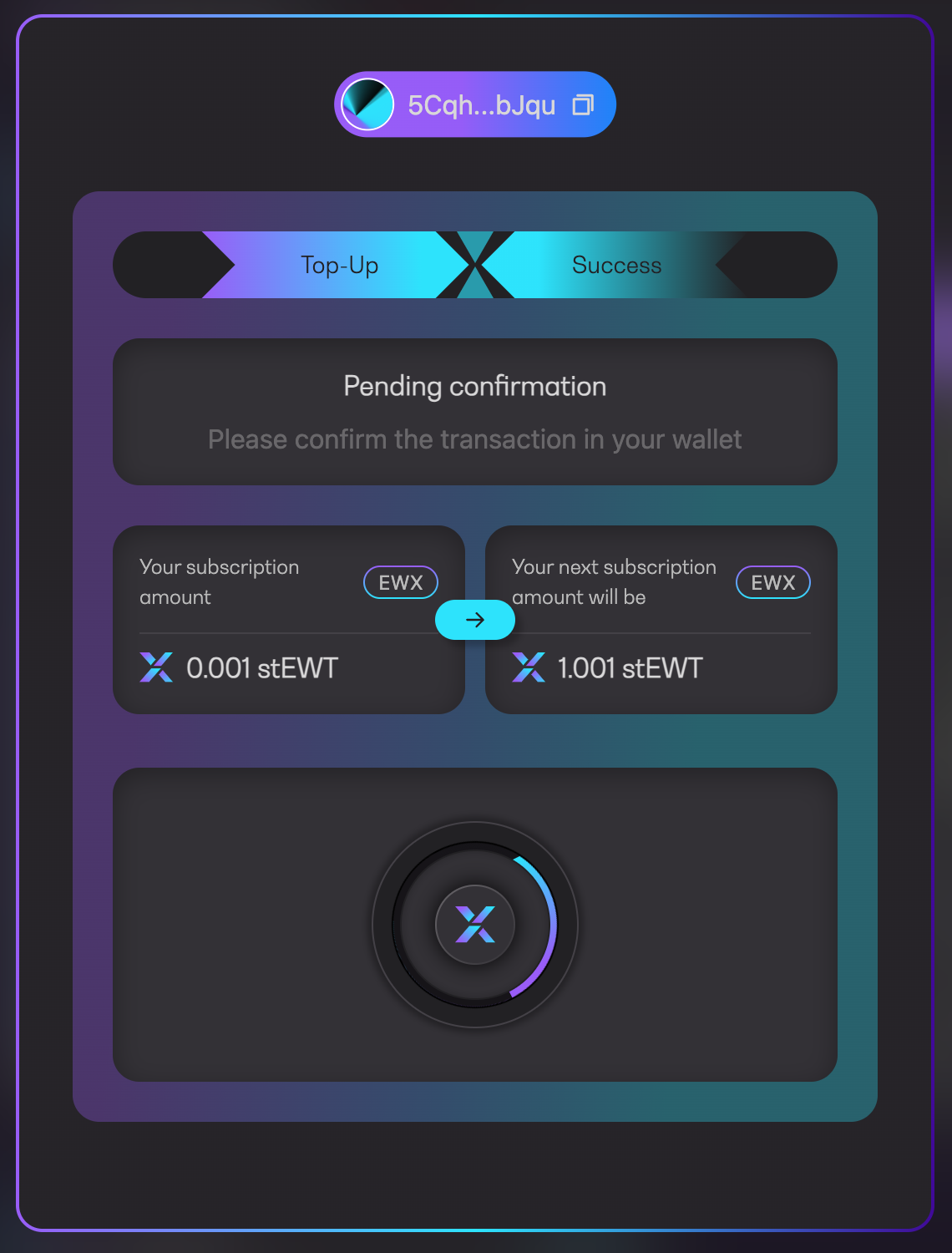
4. Approve the transaction in your wallet
Pending confirmation
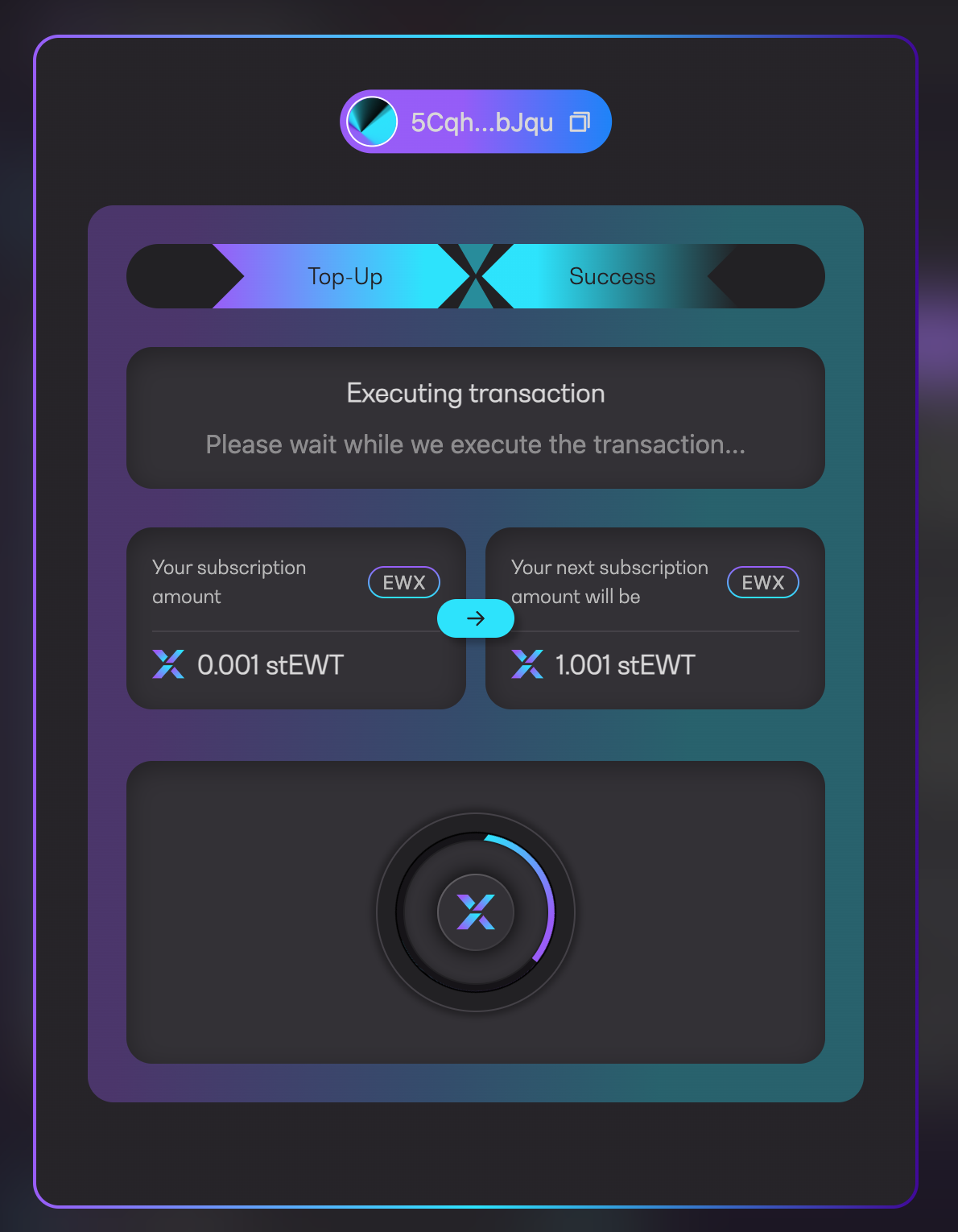
5. Wait for the transaction being executed
Executing transaction
6. You will see a success message along with the transaction URL to Polkadot explorer
Transaction successful
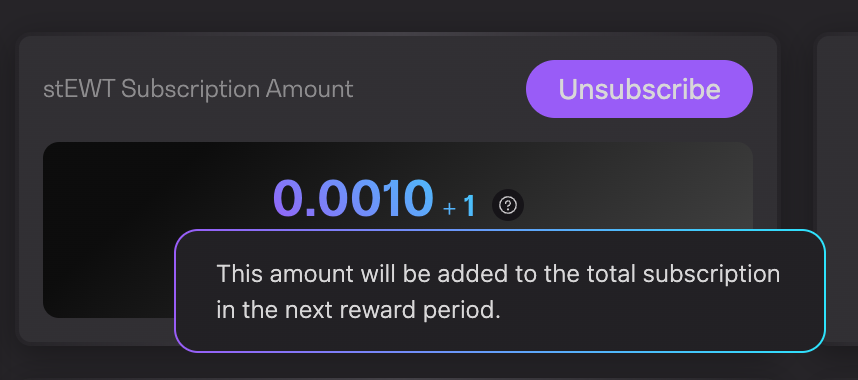
7. Your subscription amount will be displayed as `+ ` as an indicator that the top-up amount will be added to the total subscription in the next reward period