# Unsubscribing from a solution group

### Prerequisites

* [x] Connected EWX account
* [x] Subscribed to a solution group

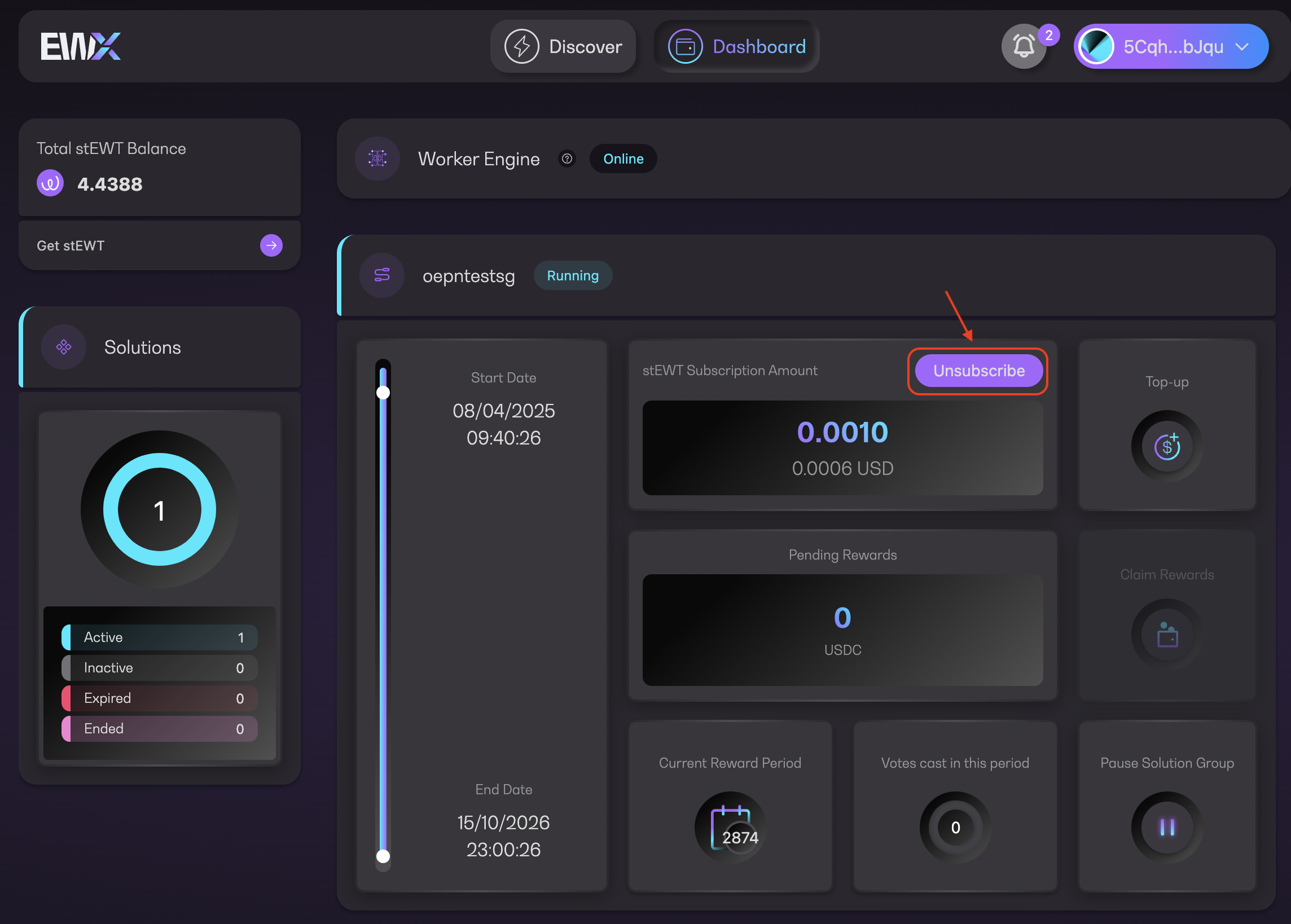
1. Click on `Unsubscribe` button in the Manage Subscription page

<figure><img src="https://4257445316-files.gitbook.io/~/files/v0/b/gitbook-x-prod.appspot.com/o/spaces%2Fnf3YeoQlQerc93GsC2Me%2Fuploads%2FuLXxFLWMEqhWmb26O46J%2FScreenshot%202025-12-09%20at%205.26.03%E2%80%AFPM.png?alt=media&#x26;token=070ed917-6f1b-47cd-8343-12d2d7524b7a" alt=""><figcaption><p>Unsubscribe</p></figcaption></figure>

{% hint style="info" %}
If you have pending rewards, you will be prompted to choose if you want to claim the rewards first: [claiming-rewards](https://docs-launchpad.energyweb.org/ewx-ecosystem/the-marketplace-app/worker-node-and-rewards/claiming-rewards "mention")

<img src="https://4257445316-files.gitbook.io/~/files/v0/b/gitbook-x-prod.appspot.com/o/spaces%2Fnf3YeoQlQerc93GsC2Me%2Fuploads%2FeER9FhmOQdEygztP9QFW%2Fimage.png?alt=media&#x26;token=a4af0a62-a02e-47a8-9688-88f74067904d" alt="" data-size="original">
{% endhint %}

2. A pop-up will appear, click `Continue` to proceed

<figure><img src="https://4257445316-files.gitbook.io/~/files/v0/b/gitbook-x-prod.appspot.com/o/spaces%2Fnf3YeoQlQerc93GsC2Me%2Fuploads%2FB8D6fOqVH24JjVbKQlWr%2Fimage.png?alt=media&#x26;token=da41aa09-be0a-4d51-963c-d43b141d4e61" alt="" width="375"><figcaption><p>Unsubscribe information</p></figcaption></figure>

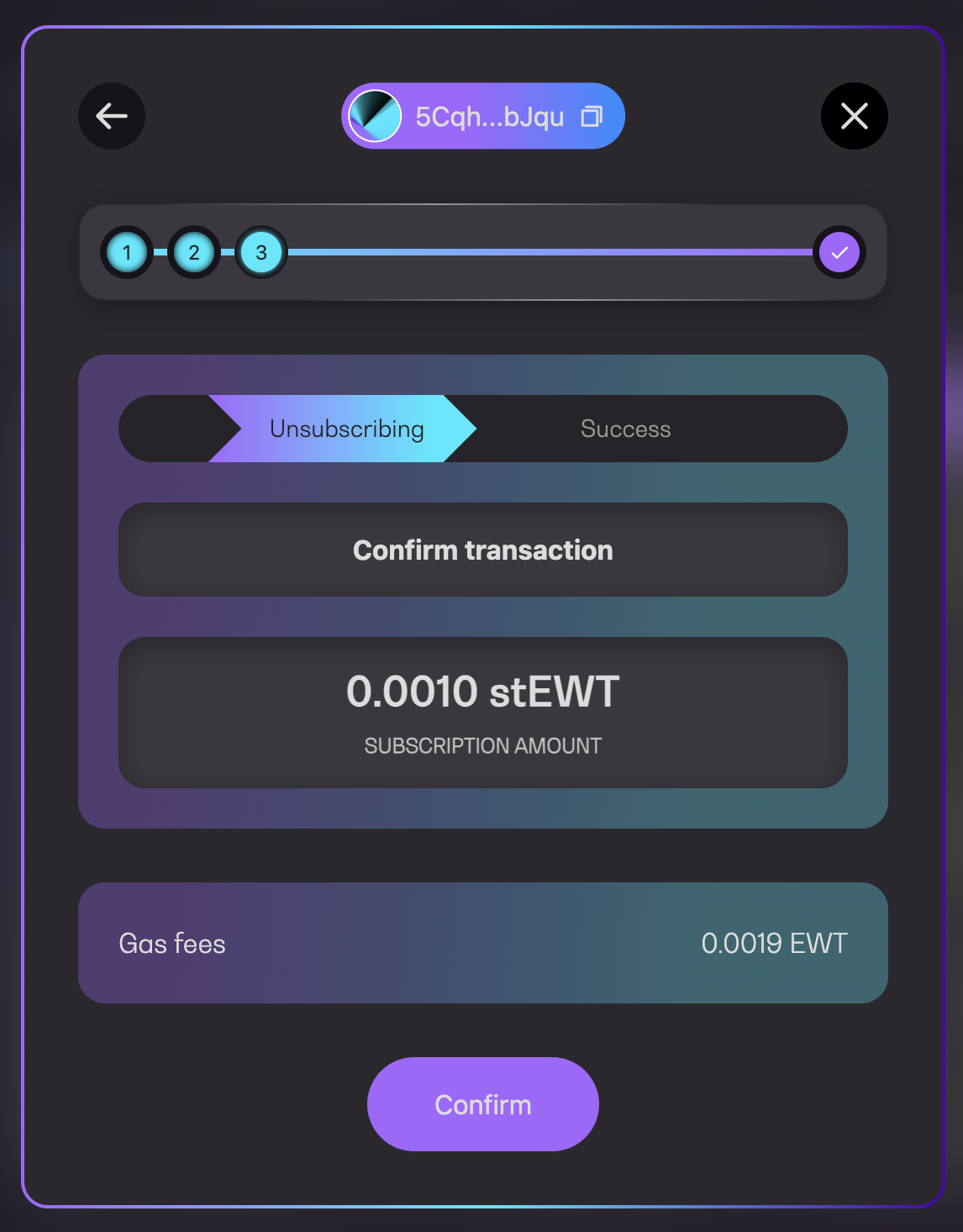
3. Click `Confirm` to submit a transaction

<figure><img src="https://4257445316-files.gitbook.io/~/files/v0/b/gitbook-x-prod.appspot.com/o/spaces%2Fnf3YeoQlQerc93GsC2Me%2Fuploads%2FeBDftiODvRuu665NLzOg%2Fimage.png?alt=media&#x26;token=a41421cd-8eab-464d-ac68-bac1c3217209" alt="" width="375"><figcaption><p>Unsubscribe confirmation</p></figcaption></figure>

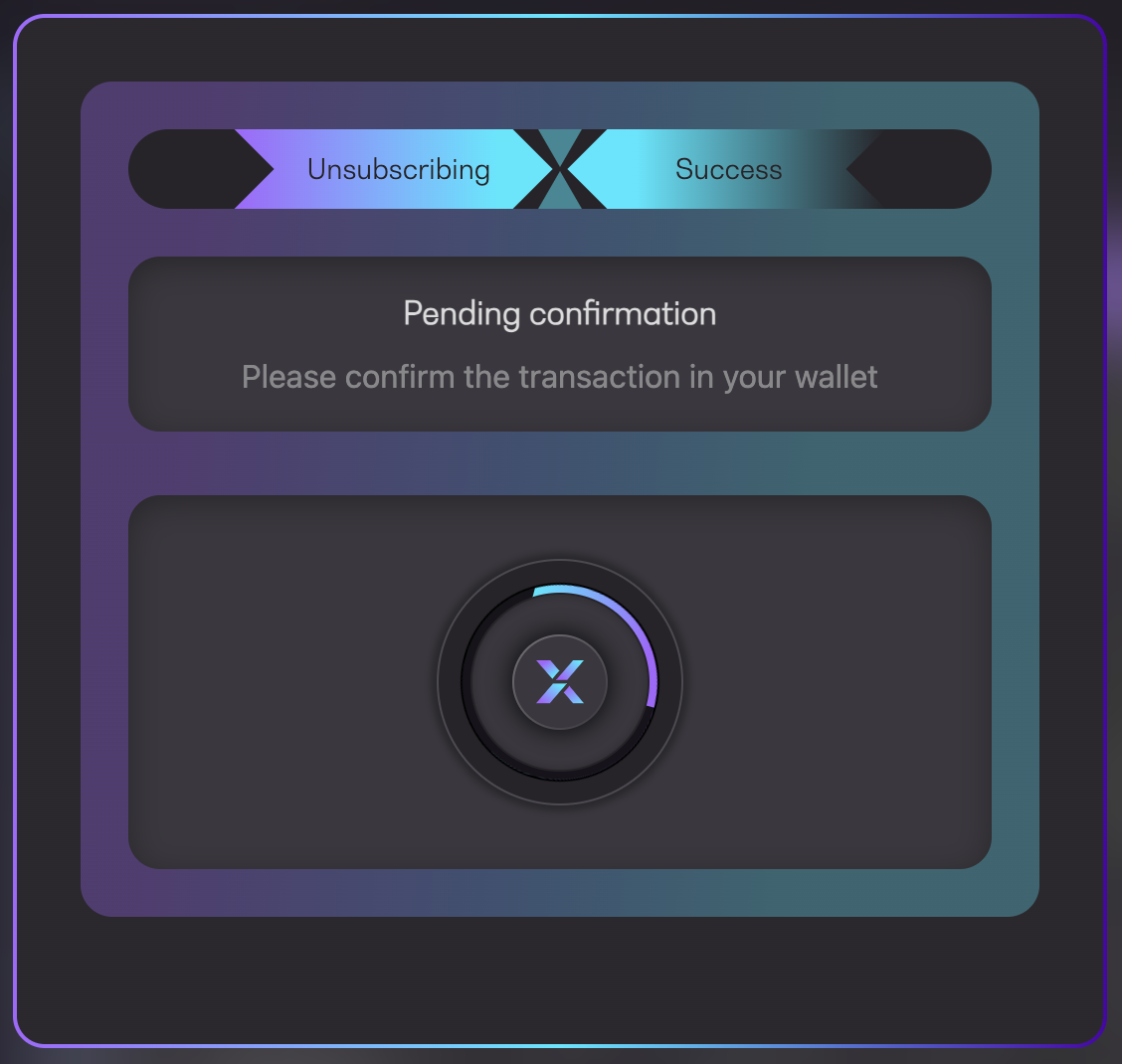
4. Approve the transaction in your wallet and wait for the transaction to be executed

<figure><img src="https://4257445316-files.gitbook.io/~/files/v0/b/gitbook-x-prod.appspot.com/o/spaces%2Fnf3YeoQlQerc93GsC2Me%2Fuploads%2FZCRpoMf5pLfqEjNMcEI3%2Fimage.png?alt=media&#x26;token=58cfc111-176f-4982-98b8-16abd8376be3" alt="" width="375"><figcaption><p>Pending confirmation</p></figcaption></figure>

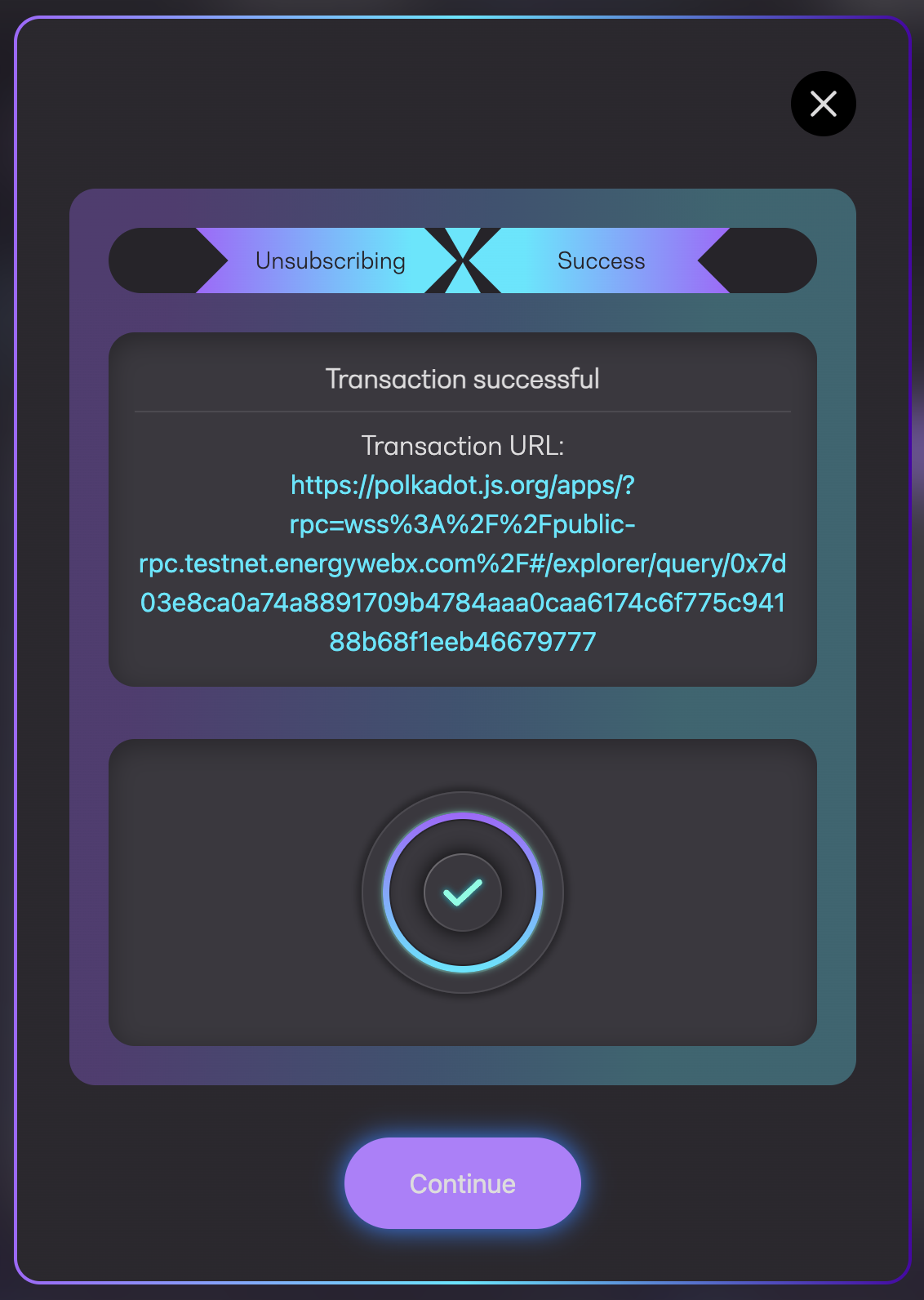
5. You will see a success message along with the transaction URL to Polkadot explorer
<figure><img src="https://4257445316-files.gitbook.io/~/files/v0/b/gitbook-x-prod.appspot.com/o/spaces%2Fnf3YeoQlQerc93GsC2Me%2Fuploads%2FpVrd4MwjTwfpo58qkIJu%2Fimage.png?alt=media&#x26;token=ce006168-758c-4509-a0b0-2af1225c7f30" alt="" width="375"><figcaption><p>Transaction successful</p></figcaption></figure>