> For the complete documentation index, see [llms.txt](https://docs-launchpad.energyweb.org/llms.txt). Markdown versions of documentation pages are available by appending `.md` to page URLs; this page is available as [Markdown](https://docs-launchpad.energyweb.org/ewx-ecosystem/the-marketplace-app/worker-node-and-rewards/configuring-remote-worker-node.md).
# Configuring remote worker node
### Prerequisites
* [x] Connected EWX account
* [x] Worker account
1. Click `Set Worker Account` in the Dashboard's left panel
Set worker account
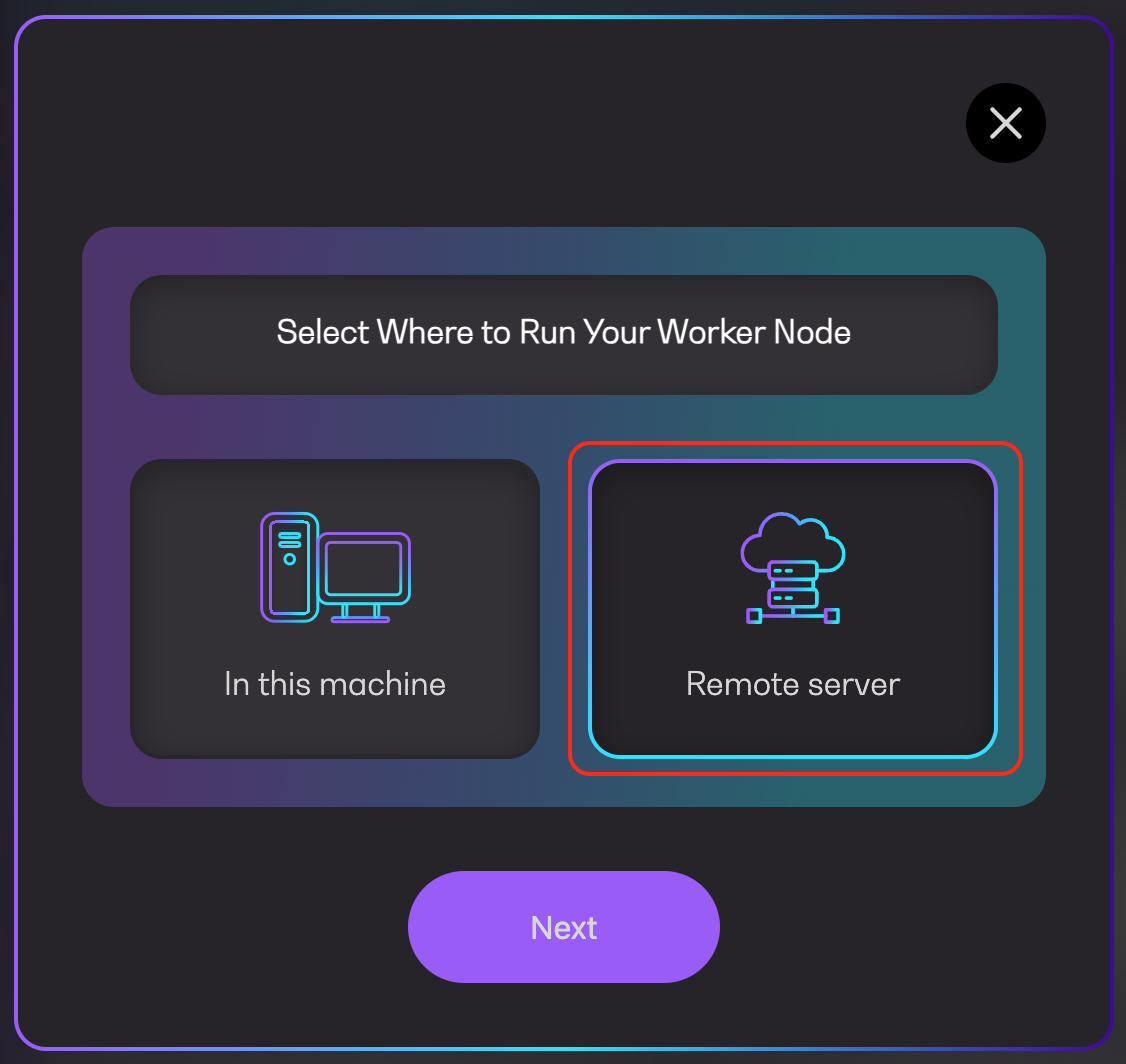
2. Choose `Remote Server`
Select location
3. Enter a valid worker node address and click `Accept`
Set worker node account
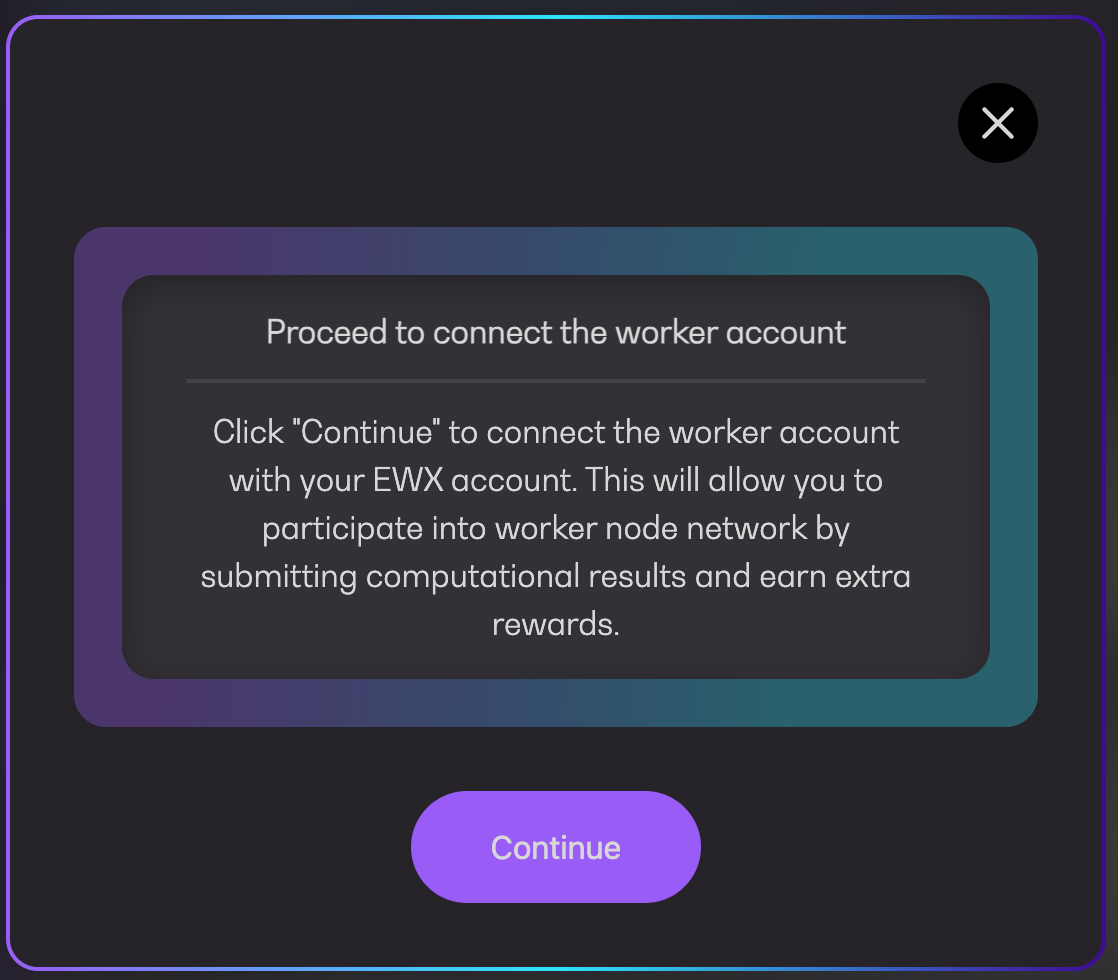
4. Click `Continue` to link the remote worker with operator account
Connect worker account
5. Approve the transaction in your wallet
Pending confirmation
6. Wait for the transaction being executed
Executing transaction
7. You will see a success message along with the transaction URL to Polkadot explorer followed by another message indicating that remote worker is successfully set